
Tutorials / Core
Running a session live
Step through a scene on your phone: positions, timers, orgasm logging, notes and changes on the fly.
Press Start on a planned session. The live view shows one step at a time – large, readable in dim light.
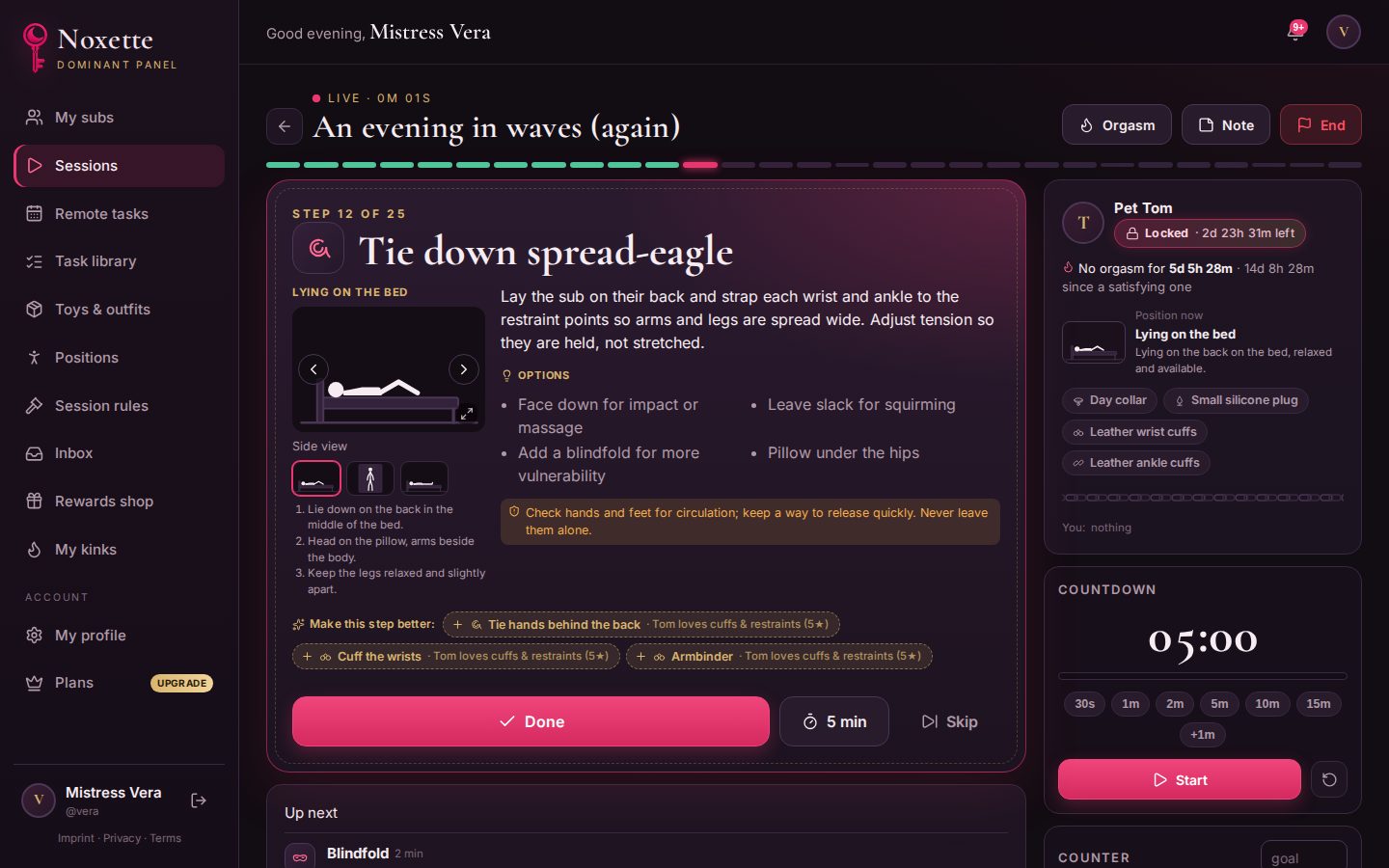
- Done / skip moves on. Automatic steps (remove, put on, get into position) come up on their own.
- Position pictures: several angles and details; tap for fullscreen, tap again to close.
- Orgasm: log it in two taps – wanted or accidental, satisfying or ruined.
- Notes: write down what you noticed, for later.
- Add something: now or at the end. The rest of the plan is recalculated from the real situation.
When you finish, your sub can rate every step. Those ratings shape future suggestions.