
Tutorials / Core
Planning a session
Use the planner, the intensity wave, mood and surprise sliders – or generate a complete scene.
The plan
Pick your sub, the date and how long you have. Then add tasks – drag them in from the library, or take one of the suggestions.
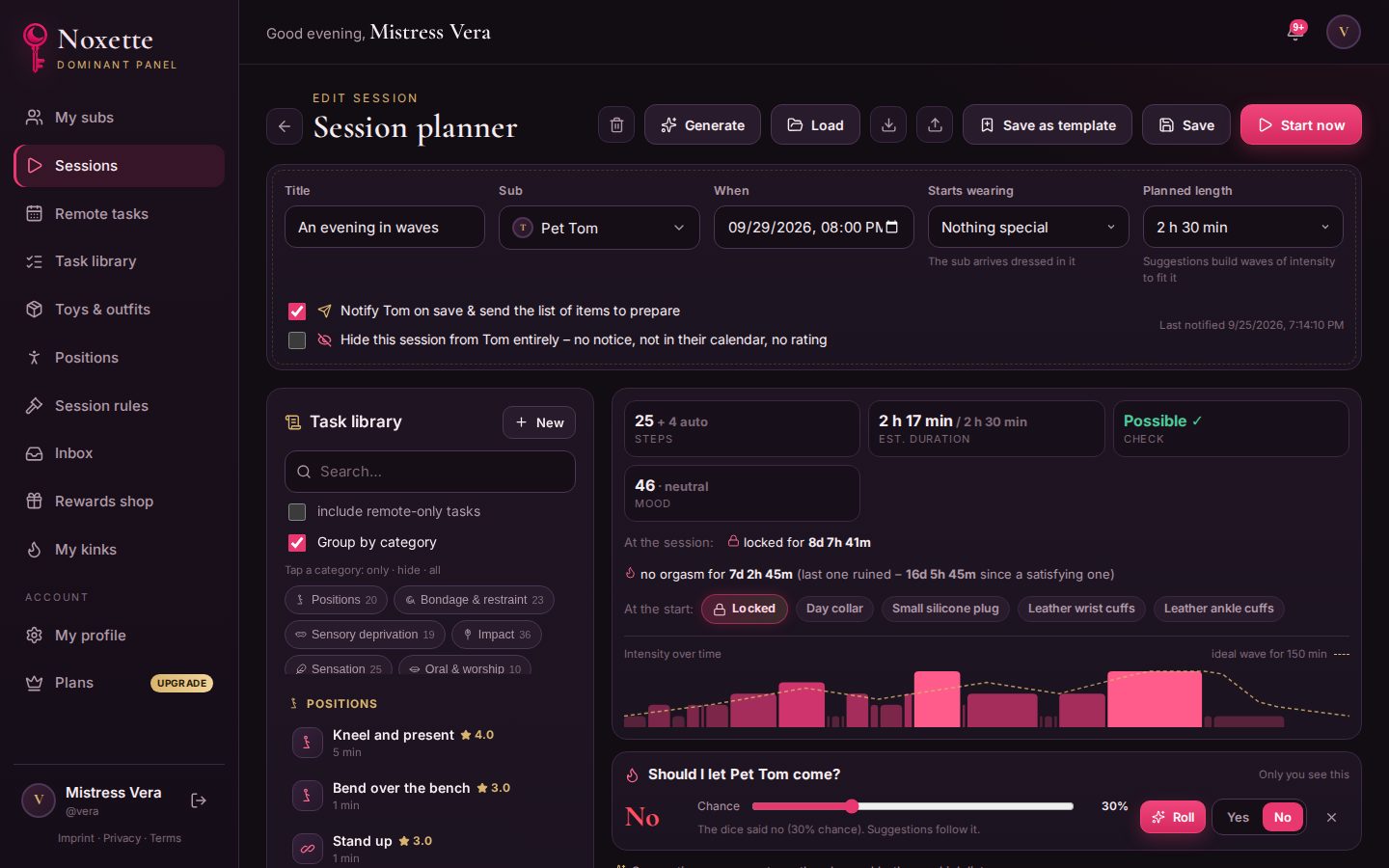
Every step is checked against the situation at that moment:
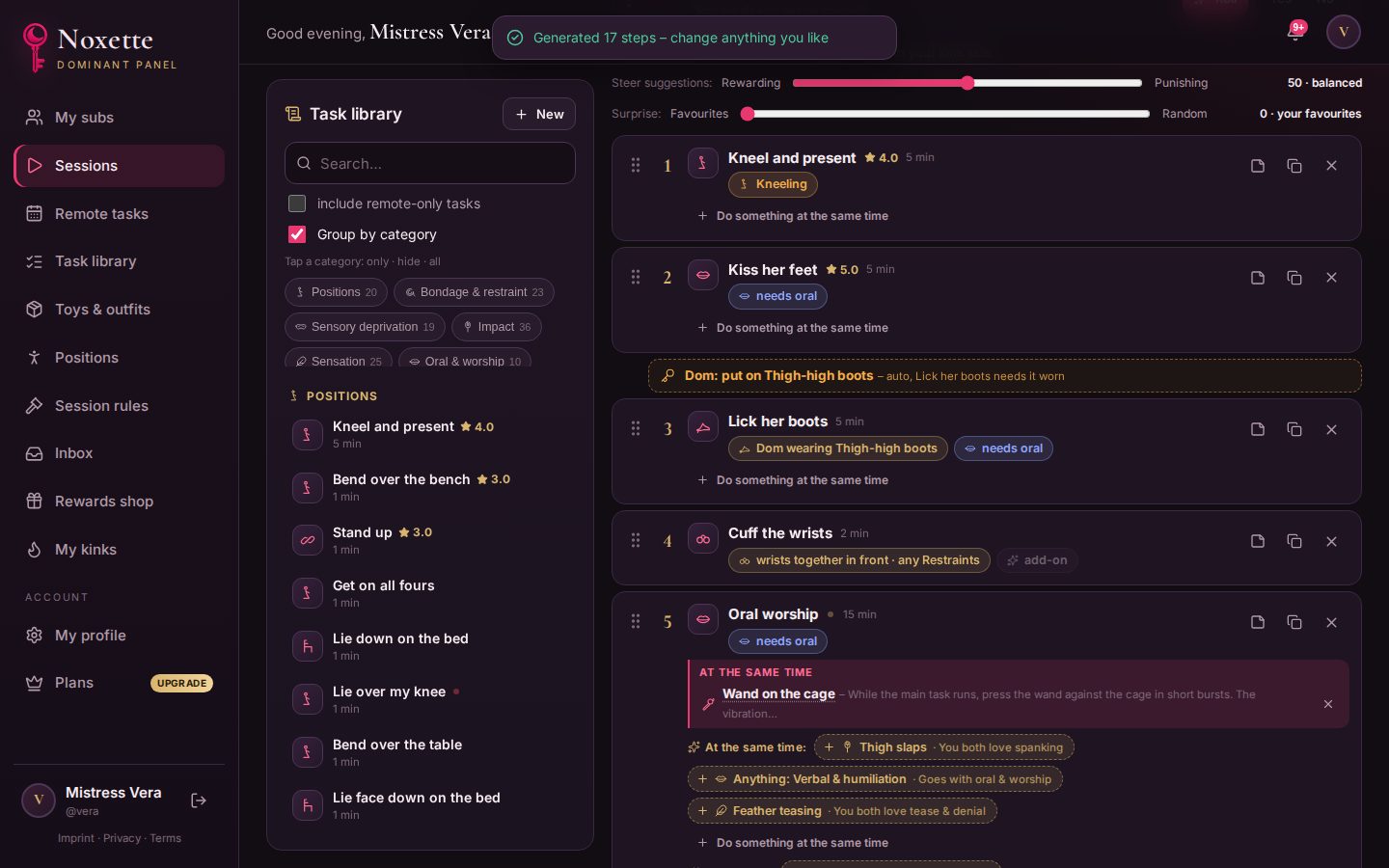
- Blocks: a gag blocks speech, clamps block the nipples, a cage blocks touch. If something must come off first, the planner adds that step automatically – or tells you why a step is not possible.
- Positions: kneeling, bent over the bench, tied to the bed. Tasks that need a position put the sub there; tasks that prefer one get a suggestion.
- Warm-up: intense play needs lighter play first.
- Wearing times: gags, clamps and rings get a warning if they stay on too long.
Steering the suggestions
- Mood: from rewarding to punishing.
- Surprise: from “your favourites” to random.
- Should they come? Set a chance and roll, or decide.
- Rules: e.g. always ends with aftercare, must contain pegging, stays locked the whole time.
Generate a whole session
Click Generate, choose length, mood and surprise – the planner builds a complete scene in waves, with things at the same time, preparation steps, a clean ending and aftercare.
With AI
Switch the wizard to AI and write what you have in mind, in your own words. The AI builds the plan from your library and explains its idea; Noxette then checks every step, your session rules and both of your limits. If a rule is not met – say, must contain pegging – Smart fix adds, moves or removes what is needed. Right after, the AI also suggests add-ons and tips for the steps. A few AI requests a day are free; see Pricing.
Keep it, share it
Everything stays editable. Save it, notify your sub (they get a list of things to prepare), save it as a template – or export it as a file, with all AI notes, and import it again later.